


Run Run Deals: Coupons & Codes
4.4184.00 Reviews
App Specs
- Version
- 4.9.7
- Updated On
- License
- Free
- Downloads
- 10,000+
- Developer
- RunRunDeals
- Categories
- Shopping
- Platform
- Android
Screenshots
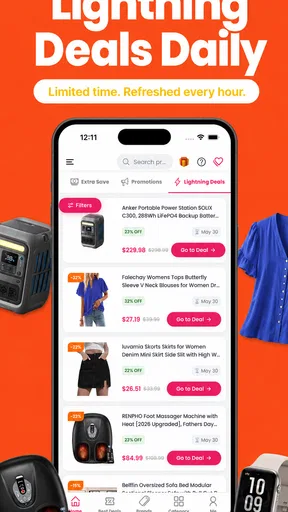
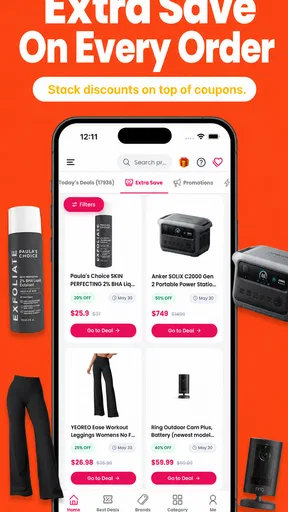
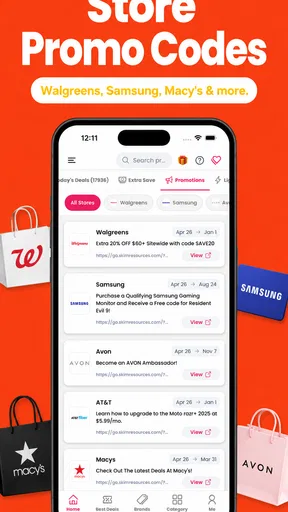

 Analysis by AppCompare
I approached Run Run Deals: Coupons & Codes as a shopping companion rather than a full marketplace. Its purpose is simple: help me find coupon codes, promotional codes, and daily deals before I place an order elsewhere. That distinction matters. I am not buying products inside the app itself; I am using it as a step between choosing what I want and paying for it.
That makes the app most useful when I already have a purchase in mind and want to check whether a discount is available. It is less compelling if I expect a complete shopping experience with product discovery, checkout, delivery tracking, and customer support in one place. In my experience, the value comes from building a quick discount-checking habit, not from browsing endlessly.
How Run Run Deals fits into a real shopping routine
The app comes from RunRunDeals and sits in the shopping category. It is free to install, carries an Everyone age rating, and has reached over ten thousand installs. Its average rating is 4.4 from around 480 ratings, with roughly 184 written reviews, which suggests that many users find the basic idea worthwhile while still leaving room for different experiences depending on the retailer, code, and timing.
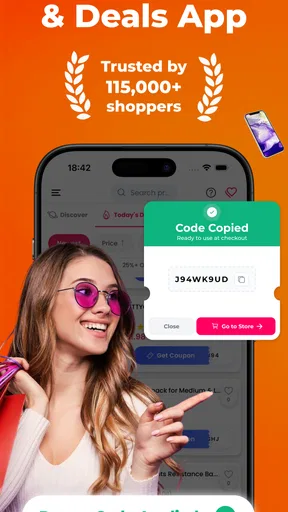
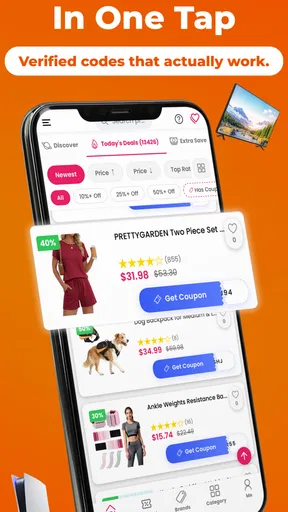
My preferred way to use it is before checkout, not after I have already paid. I open the app, look for a relevant offer, read the conditions carefully, and then move to the retailer’s checkout page. This takes less effort than opening several browser searches and sorting through old coupon pages. The important word is “relevant”: a large collection of offers is only useful when I can quickly tell which one applies to the item, store, or order I am considering.
A realistic example is ordering household supplies after noticing that the basket total is close to a retailer’s discount threshold. I would check Run Run Deals before submitting the order, compare a percentage code with a fixed-value offer, and then test the stronger option. If the code fails, I would not repeatedly retry random variations. I would inspect the terms, remove conflicting promotions, and decide whether the order is still worth placing.
This workflow also shows the app’s main limitation. A coupon is not automatically a saving. It may exclude sale items, require a minimum spend, apply only to selected products, or stop working when another promotion is active. The app can shorten the search for an offer, but I still have to judge the final price and the conditions attached to it.
Where people commonly get stuck
The first point of friction is usually the handoff between the app and the retailer. Finding a code is one task; applying it correctly on a separate shopping site or app is another. If I copy a code and then switch applications, it is easy to lose track of which offer I selected, especially when several codes have similar wording.
Worth Reading Before You Choose

Flipboard Shows What News Apps Must Do Beyond the Feed

Switching to Android Auto Means Rethinking Your Driving Routine

Google Calendar Makes a Crowded Week Easier to Manage

Ludo King Makes the Most of the Minutes Between Plans

Baby Panda World Brings Quick Play to Modern Phones, but Its Game Library Feels Busy

ESPN’s Live Game View Makes Following Close Games Easier
I get better results by reading the offer title and its visible conditions before leaving the deals app. I also keep the product page or basket in mind: if the discount is for new customers, a particular department, or a minimum order value, I check that requirement before assuming the code is suitable. This small pause prevents the common mistake of treating every listed promotion as universal.
Another sticking point is timing. Daily deals and promotional codes can change, so an offer that looked useful earlier may no longer work when I reach checkout. That does not automatically mean the application is malfunctioning. Retailers can change their own promotions, and a code may be limited by stock, campaign timing, account status, or the contents of the basket.
There is also a practical difference between a code being visible and a discount appearing in the final total. I treat the checkout summary as the authority. If the order total does not change after applying the code, I do not assume the saving will appear later. I check the message shown by the retailer, remove the code, and compare the total without it.
Setup checks that prevent avoidable problems
Run Run Deals is designed for a straightforward shopping task, but a little preparation makes it easier to use. I first make sure the app is updated to its current version, 4.9.7, and that the device meets its minimum requirement of Android 7.0 or later. Those checks are particularly useful on an older phone, where an application may install but behave less smoothly than expected.
I also check whether the retailer’s checkout is open in the same device session. If I find a promising code while browsing on one device and then shop on another, copying becomes more awkward and I am more likely to mistype something. When possible, I keep the deal page and checkout close at hand, copy the code carefully, and confirm that the pasted text has not picked up extra spaces.
Before blaming the app for a failed discount, I verify four practical details:
- Basket contents: I check whether the products are eligible rather than assuming the whole order qualifies.
- Order threshold: I compare the basket subtotal with any minimum spend, excluding delivery or other charges when the retailer does so.
- Promotion conflicts: I test whether an automatic sale or another code is preventing the chosen offer from applying.
- Account conditions: I look for wording that limits the promotion to certain customers or orders.
These checks are not glamorous, but they are where much of the real saving happens. A code that appears attractive can be weaker than an automatic discount already shown in the basket. In that situation, I keep the automatic price rather than forcing a coupon just because it looks more deliberate.
The app is free to download, but it also lists in-app purchases ranging from $2.99 to $99.99 per item. I would pay attention to any purchase screen and avoid treating an optional paid item as necessary for basic coupon checking. I prefer to begin with the free experience and only consider an extra purchase if its purpose and value are clear at the moment it appears.
Recovering when a code or page does not behave as expected
My recovery process is deliberately simple. First, I return to the offer and reread the conditions instead of immediately searching for another code. If the retailer rejects it, I remove the code from checkout, refresh the basket, and try once more only when the terms clearly match the order. Repeatedly submitting the same failed code rarely solves the underlying issue.
If the deal page seems stale or the app does not display the expected content, I close and reopen it, then check my connection and retry. I avoid making several changes at once because I want to know what fixed the problem. If the retailer’s checkout is the part that fails, I test the basket without the code. That separates a coupon problem from a broader checkout problem.
A useful recovery trick is to record the original total mentally or in a note before applying a promotion. I then compare the final price, not merely the success message. Some discounts alter only eligible items, while delivery or taxes may remain unchanged. Looking at the complete total keeps the decision grounded in the actual order rather than the headline offer.
When two offers seem similar, I test them one at a time and remove the first before applying the second. Retailer checkouts often accept only one promotional code, and leaving an unsuccessful code in place can make a later test confusing. I also avoid changing the basket during the comparison, because adding or removing an item can alter eligibility.
This is where the app’s role becomes clear: it helps me discover possibilities, but it cannot control the retailer’s checkout rules. If the code is copied correctly, the conditions fit, and the retailer still rejects it, I move on rather than spending more time than the saving is worth. A five-minute search is sensible; an extended struggle over a small discount is not.
When the app is not the cause of the problem
Coupon hunting encourages a particular kind of tunnel vision. I may see a code in the app, watch it fail at checkout, and conclude that the app is broken. In reality, the retailer may have ended the promotion, changed the eligible products, restricted it to a particular account, or replaced it with an automatic deal.
To identify the source, I ask where the failure occurs. If Run Run Deals opens normally and shows the offer, but the retailer rejects the code, the retailer’s checkout is the more likely source. If the app itself cannot load its content while other shopping pages work normally, I investigate the app session or device connection first. If every shopping service is slow, the wider connection is a better suspect than this particular application.
I also consider the possibility that the saving is being calculated differently from what I expected. A percentage discount may apply only to selected products, while a fixed-value offer may require a higher subtotal. Delivery charges can make a discounted basket feel less impressive, and a lower product price is not always the same as a lower final payment.
Compared with ordinary web searches, the app gives me a more focused place to begin. Search engines often return pages with expired promotions, repeated codes, or long lists that require extra filtering. Run Run Deals is more convenient for a quick check, but I still need to validate the offer at the merchant. Compared with a retailer’s own newsletter or loyalty program, it may expose a broader range of deals, while the retailer’s direct promotion can be more dependable for account-specific benefits.
For people who already use browser extensions, saved retailer alerts, or a cashback service, the app may be redundant. Those tools can fit more naturally into a desktop checkout or automatically identify discounts. I would choose Run Run Deals instead when I shop from a phone, want a quick manual check, or do not want to maintain several separate deal services.
Who will get the most from it
I think the app suits occasional online shoppers who want a low-effort discount check before paying. It is also useful for someone who buys from several retailers and does not want to remember each store’s promotion pages. The habit is simple: build the basket, check the app, test the most relevant offer, and compare the final total.
It can be especially practical for planned purchases. If I know I will place an order later in the day, I can wait until the basket is complete before searching. That gives me the exact products and subtotal needed to judge eligibility. Searching too early often produces a code that looks promising but does not match the eventual order.
I would be more cautious recommending it to someone who expects guaranteed discounts or automatic application. The app does not remove the need to read conditions, copy a code, and confirm the result. A person who dislikes switching between applications may find a retailer-integrated promotion or browser-based alternative more comfortable.
I would also skip it when the retailer already offers a clearly better automatic price. There is no advantage in forcing a coupon-search routine if the checkout has already applied a stronger promotion. The best use of the app is comparison, not loyalty to the coupon itself.
My practical verdict after using its approach
Run Run Deals is most valuable as a quick pre-check, not as a promise that every order will become cheaper. I like the focused purpose, the free entry point, and the way it encourages me to check for a promotion before completing a purchase. The app is easy to justify when a single successful code saves more time or money than the few moments spent searching.
My main reservation is that the final result depends heavily on the retailer’s rules and the accuracy of the individual offer. That means the experience can vary from a fast win to a dead end. I never treat the displayed deal as final until the retailer’s checkout shows the lower total, and I do not let a failed code delay a purchase unnecessarily.
RunRunDeals has kept the product centered on a practical shopping need rather than turning it into a full retail destination. For me, that is both its strength and its boundary. If you want a simple place to look for coupon codes, promo codes, and daily offers before checkout, it is worth trying. If you want automatic discounts, integrated purchasing, or certainty that every listed code works, a retailer-specific tool or browser extension may suit you better.
My recommendation is to install it with realistic expectations, begin with the free experience, and use it as part of a short decision process: check the terms, test the code once, compare the complete total, and move on when the saving is not real. Used that way, it can make everyday online shopping a little more deliberate without adding much friction.
Pros
- Quickly find coupons and discount codes for popular retailers.
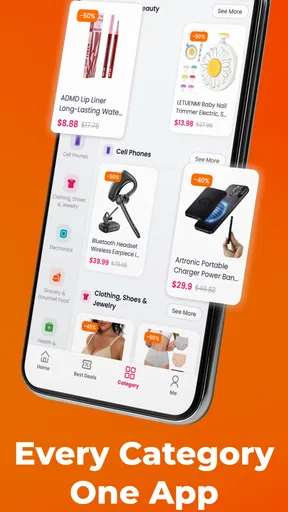
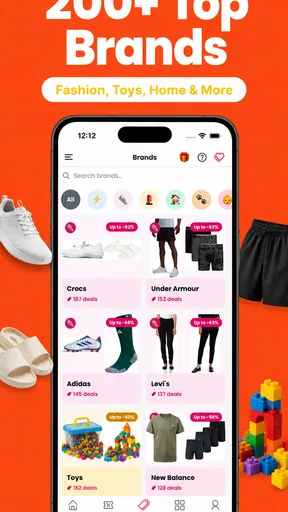
- Offers deals across multiple shopping categories in one app.
- Simple interface makes browsing promotions easy.
- Useful savings tool for online shoppers and bargain hunters.
- New offers can help reduce the cost of regular purchases.
Cons
- Some coupon codes may be expired or no longer valid.
- Deal availability can vary by country and retailer.
- Savings often come with exclusions or minimum purchase limits.
- The app may include ads or promotional content.
- Not every listed offer provides a significant discount.
FAQs for Run Run Deals: Coupons & Codes
What is Run Run Deals: Coupons & Codes?
Run Run Deals: Coupons & Codes is a shopping companion designed to help users discover discounts, promotional offers, and coupon codes from different retailers. Instead of searching each store individually, you can browse available deals in one place and check the conditions attached to them. The app is most useful for shoppers who regularly compare prices before completing an online purchase.
How do I use a coupon or promotional code in Run Run Deals?
After finding an offer, open its details to review the discount, expiration date, eligible products, and any minimum-spending requirements. If a code is provided, use the copy option and paste it into the retailer’s coupon or promo-code field during checkout. Some offers may activate through a button or tracking link instead, so follow the instructions shown in the deal listing.
Are all the coupons and deals guaranteed to work?
No coupon platform can guarantee that every listed offer will remain valid at all times. Retailers may end promotions early, change their terms, restrict codes to certain customers, or limit availability by region. Before placing an order, check the offer’s expiration date and conditions, and confirm that the discount appears in the retailer’s checkout total before paying.
Is Run Run Deals: Coupons & Codes free to download and use?
The app is generally intended to let users browse deals and coupon codes without paying for access to the basic service. However, availability, advertising, optional features, and store policies may vary between Android and iOS versions. It is also wise to review the app-store listing and privacy information before installation, particularly if the application requests account, notification, or shopping-related permissions.
Does Run Run Deals support every store and country?
Run Run Deals may include offers from a range of retailers, but coverage is not necessarily universal. The number of available stores, currencies, coupon codes, and regional promotions can depend on your location and the app’s current partnerships. If a deal does not apply, verify that the retailer ships to your country and that the promotion is valid for your selected region.


